Procurement automation from request to purchase order
Procurement automation turns purchase requests, supplier quotes and approvals into a single flow that produces purchase orders in your ERP and keeps spending under control.
At a glance
| What it automates | Requests, reorder suggestions, quotes, approvals and purchase orders |
| Works with | Zoho Inventory, Odoo Purchase, Business Central, Supply Chain Management |
| People stay in charge of | Supplier choice, approvals and negotiation |
| Typical start | Indirect purchases or stock replenishment |
The short answer
Procurement automation replaces purchase requests by email and quotes in spreadsheets with a guided flow. Requests are raised in a form, stock levels trigger reorder suggestions, supplier quotes are compared side by side, approvals follow your rules and an approved request becomes a purchase order in the ERP. AI helps by reading quotes and flagging unusual prices.
Why purchasing slips out of control
Requests arrive by email, chat and phone. Quotes sit in inboxes. Approvals happen informally, and purchase orders are raised after the goods have already been ordered.
Finance sees the spending only when the invoice arrives, and stock runs short or piles up.
How the work is usually done today
- A request is sent by email or message
- Buyer collects quotes by email
- Quotes are compared in a spreadsheet
- Approval is given verbally or by email
- The purchase order is raised late, or not at all
What AI changes
Automation brings every purchase into one visible flow.
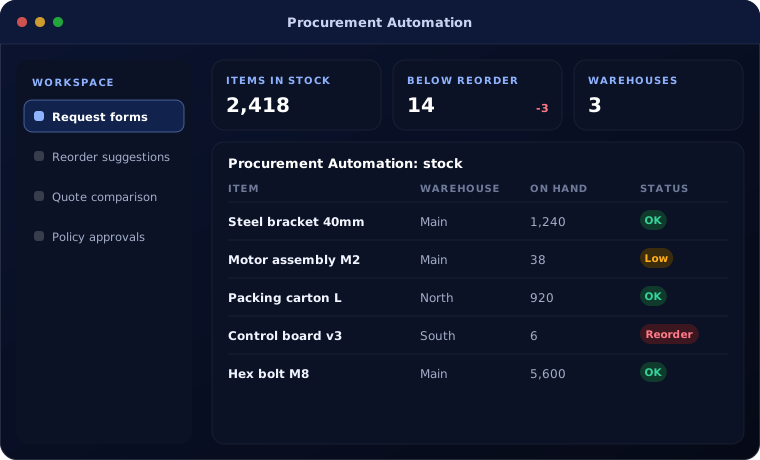
Request forms
Simple forms with budget codes and attachments.
Reorder suggestions
Stock and sales trends trigger purchase suggestions before items run out.
Quote comparison
AI reads supplier quotes and lays them out side by side.
Policy approvals
Rules by value, category and budget, with escalation.
How procurement automation works
A purchase moves through these steps.
Request
Staff raise a request or the system suggests a reorder.
Handled by Automation
Collect quotes
Suppliers are asked for quotes, which are read and compared.
Handled by AI agent
Choose supplier
The buyer selects the supplier using price, terms and history.
Handled by Person
Approve
The request is approved according to policy.
Handled by Person
Create purchase order
The approved request becomes a purchase order in the ERP.
Handled by Automation
Where people stay in control
Spending decisions stay with the right people.
- Every purchase order follows your approval policy
- New suppliers require vendor onboarding checks
- Price differences above a tolerance are flagged
- Budgets are checked before approval
Security and governance
- Access limited to the documents and records each step needs
- Every automated action logged with who or what made it
- Data kept in your own systems and approved cloud services
Systems this connects to
What you can expect
Typical improvements once procurement runs through one flow:
- Every purchase visible before it is committed
- Fewer stock-outs and less excess stock
- Better prices from consistent quote comparison
- Faster approvals with a clear audit trail
Common questions
Does this work for both stock and non-stock purchases?
Yes. Stock items can be replenished from reorder rules, and services or one-off items go through request forms.
Can suppliers submit quotes online?
Yes. Suppliers can reply by email, which the AI reads, or through a supplier portal.
Which ERP does this need?
It works with Odoo Purchase, Zoho Inventory, Business Central and Dynamics 365 Supply Chain Management.
Can we set different rules by department?
Yes. Approval rules can vary by department, category, value and budget.
Explore further
The same job on other platforms
AI automation for this
Often used alongside
Want purchasing you can see and control?
Tell us how purchases are requested and approved today. We will show you the flow that fits.