Odoo Sales implementation
We set up Odoo Sales so quotations are quick to produce, prices are right, and a confirmed order triggers delivery and invoicing automatically.
The short answer
Odoo Sales produces quotations, lets customers sign and pay online, converts them into sales orders and drives delivery and invoicing. It suits businesses that quote before they sell and want order processing connected to stock and accounts. BookMyTechies sets up your products, price lists and templates and connects the order flow.
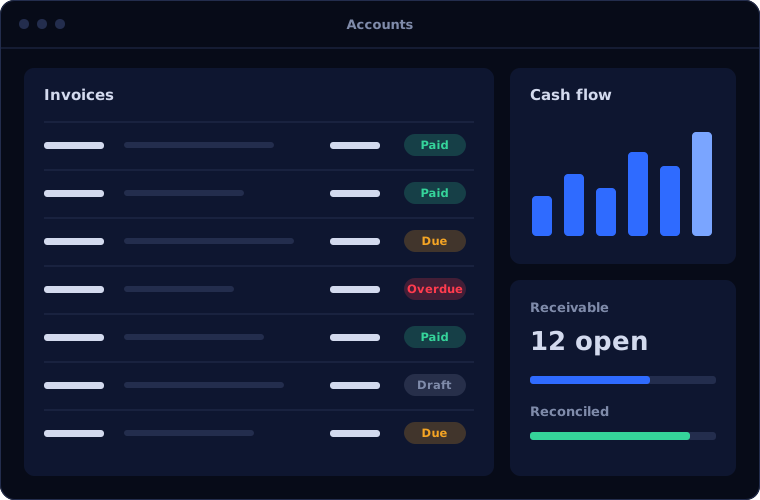
What Odoo Sales does
Odoo Sales turns a quote into a delivered, invoiced order. These are its main features.
Quotations
Professional quotes built from templates, with optional products and terms.
Online signature and payment
Customers accept and pay from a link, without printing anything.
Price lists
Prices by customer, quantity, currency or period.
Product variants
Options such as size and colour, with a configurator for complex products.
Order to invoice
Invoices created from orders or deliveries, according to your policy.
Customer portal
Customers view quotes, orders and invoices online.
Is Odoo Sales the right fit?
Odoo Sales fits most quote-led businesses.
A strong fit when
- You send quotations and convert them to orders
- Pricing varies by customer or quantity
- Orders must trigger delivery or production
- You want customers to accept quotes online
Look elsewhere when
- You sell only through a shop counter, where Point of Sale fits
- You sell only online, where eCommerce is the starting point
- Your quoting needs engineering-level configuration beyond a standard configurator
How we implement Odoo Sales
Clean product and price data decide how well this works. We start there.
Review products and pricing
We examine your catalogue, price rules, discounts and terms.
You receiveA product and pricing structureConfigure
We set up products, price lists, quote templates and approval rules.
You receiveA configured sales appConnect the flow
We link orders to delivery, production and invoicing.
You receiveA tested order-to-invoice flowMigrate
Customers, products and open quotes and orders are imported.
You receiveLive data in OdooTrain
Sales and back-office staff run real orders with us.
You receiveTraining and a process guide
Problems we are asked to solve
These are the order-processing problems clients bring to us.
| The situation | What we do |
|---|---|
| Quotes take too long to prepare | Use templates, price lists and a product configurator |
| Wrong prices are quoted | Apply price lists automatically by customer and quantity |
| Confirmed orders are re-entered for delivery and invoicing | Let the order create the delivery and the invoice |
| Customers chase for copies of documents | Give them the customer portal |
Common questions
Can customers sign quotations online?
Yes. They can accept, sign and, if you choose, pay from the quotation link.
Does it handle subscriptions?
Recurring sales are handled by the Odoo Subscriptions app, which works with Sales.
Can we have different prices for different customers?
Yes, through price lists by customer, group, quantity or date.
Is it connected to stock?
Yes. Availability is visible on the order, and confirming it reserves stock.
How this page is maintained. Written and reviewed by the BookMyTechies implementation team, based on our project work. Product details are checked against Odoo's documentation, and pricing is linked to Odoo's own page because it changes.
Explore further
The same job on other platforms
AI automation for this
Often used alongside
Quotes and orders taking too long? Talk to us.
Tell us how an order moves from quote to invoice today. We will show you how Odoo Sales would run it.