Microsoft Copilot Studio setup for custom AI agents
We build AI agents with Microsoft Copilot Studio that answer questions from your documents, take actions in your systems and work inside Teams, websites and Microsoft 365.
At a glance
| What it is | Microsoft’s platform for building AI agents and copilots |
| Best for | Organisations on Microsoft 365 wanting governed AI agents |
| Works with | Teams, SharePoint, Dataverse, Dynamics 365, Power Automate |
| Our role | Design, build, connectors, governance and rollout |
| Pricing | See Microsoft’s website for current plans |
The short answer
Microsoft Copilot Studio is Microsoft’s platform for creating AI agents that answer questions and carry out tasks. Agents can draw on SharePoint and other knowledge, call Power Automate flows and connectors, and run in Teams or on websites, under Microsoft 365 security and governance. BookMyTechies designs and builds agents for specific business processes.
What Microsoft Copilot Studio does
Copilot Studio agents can do more than chat.
Knowledge answers
Answers from SharePoint, websites and documents you approve.
Actions
Agents trigger Power Automate flows and connectors.
Teams and web
Deploy agents in Microsoft Teams or on your website.
Dynamics 365 data
Use CRM and ERP data in answers and actions.
Governance
Admin controls, data policies and analytics.
Human handoff
Escalate to people when needed.
Is Microsoft Copilot Studio the right fit?
Copilot Studio is the natural choice on Microsoft 365.
A strong fit when
- Your organisation runs on Microsoft 365 and Teams
- You want AI agents governed by IT policies
- Your data lives in SharePoint and Dynamics 365
Look elsewhere when
- You do not use Microsoft 365, where other AI platforms fit better
- You need a highly custom AI application, which may require Azure AI directly
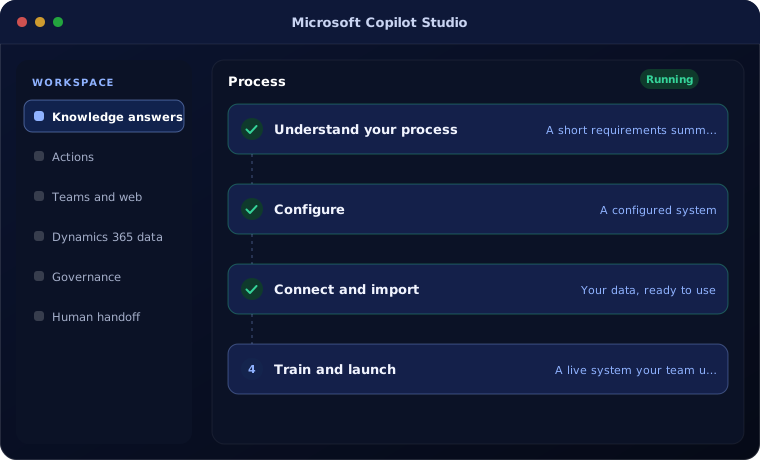
How we implement Microsoft Copilot Studio
We build agents in small, measured steps.
Understand your process
We review how your team works today and what the agent needs to do.
You receive A short requirements summary
Configure
We set up the agent with your fields, stages, templates, users and permissions.
You receive A configured system
Connect and import
We import your data and connect the tools you already use.
You receive Your data, ready to use
Train and launch
Your team is trained on real tasks and we support the first weeks.
You receive A live system your team uses
Problems we are asked to solve
These are the situations clients most often bring to us.
| The situation | What we do |
|---|---|
| Staff cannot find policies and documents | Build a knowledge agent over approved SharePoint content |
| IT help desk overwhelmed | Create an agent for common requests |
| Customer questions repeat | Deploy a website agent with handoff |
Related products
Copilot Studio connects with these.
Common questions
What licences are needed?
Copilot Studio has its own licensing, and some uses are included with Microsoft 365 Copilot. Check Microsoft’s current licensing pages; we help you choose.
Is our data safe?
Agents run within Microsoft’s security and compliance framework and respect your access permissions and data policies.
Can agents update Dynamics 365?
Yes, through connectors and Power Automate flows, with approvals where needed.
How this page is maintained. Written and reviewed by the BookMyTechies implementation team, based on our project work. Product details are checked against Microsoft’s documentation, and pricing is linked to Microsoft’s own page because it changes.
Explore further
The same job on other platforms
AI automation for this
Often used alongside
Industries where this matters
Want an AI agent inside Teams?
Tell us which questions or tasks take your team the most time. We will design an agent for them.