Lead-to-order automation from first enquiry to confirmed order
Lead-to-order automation connects marketing, sales and operations so every enquiry is captured, followed up quickly, quoted accurately and turned into an order without re-entry.
At a glance
| What it automates | Lead capture, qualification, follow-up, quotes and order creation |
| Works with | Zoho CRM, Odoo CRM and Sales, Dynamics 365 Sales |
| People stay in charge of | Conversations, pricing decisions and negotiation |
| Typical start | Website and email enquiries |
The short answer
Lead-to-order automation joins the steps between a new enquiry and a confirmed order. Enquiries from the website, email, chat and marketplaces land in the CRM, AI qualifies and routes them, follow-ups are scheduled automatically, quotes are generated from your price list and an accepted quote becomes a sales order in the ERP.
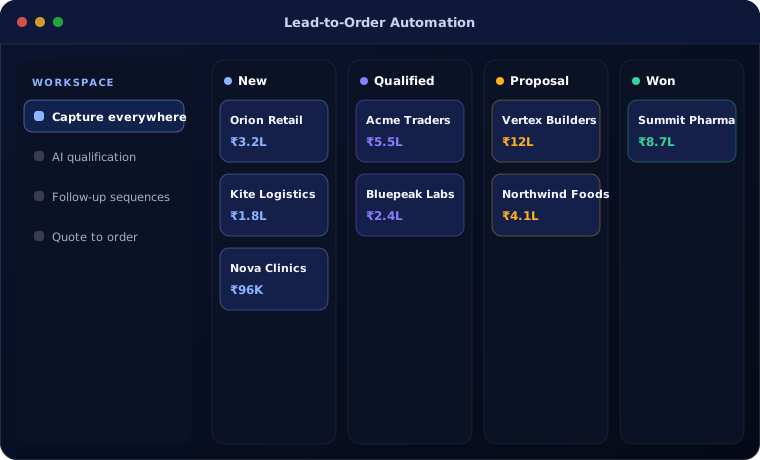
Where sales leaks
Enquiries arrive through many channels and some are never answered. Sales staff spend time on admin, quotes are built in spreadsheets and orders are re-typed into the ERP.
Management cannot see which sources produce revenue.
How the work is usually done today
- Enquiries arrive by email, phone, website and chat
- Leads are copied into a spreadsheet or CRM
- Follow-up depends on memory
- Quotes are made in a spreadsheet
- The order is re-typed into the ERP
What AI changes
Automation keeps every lead moving.
Capture everywhere
Every channel creates a lead with its source recorded.
AI qualification
Enquiries scored and routed to the right salesperson.
Follow-up sequences
Reminders and emails scheduled so no lead goes cold.
Quote to order
Accepted quotes become sales orders automatically.
How lead-to-order automation works
From enquiry to order:
Capture
An enquiry creates a lead with source and details.
Handled by Automation
Qualify
AI scores the lead and drafts a first reply.
Handled by AI agent
Engage
The salesperson talks to the customer and agrees requirements.
Handled by Person
Quote
A quote is produced from the price list and approved if discounted.
Handled by Person
Order
The accepted quote becomes a sales order in the ERP.
Handled by Automation
Where people stay in control
Sales conversations stay human.
- Discounts above limits need approval
- Drafted replies are reviewed before sending where required
- Customer data follows consent rules
- Every change to a deal is logged
Security and governance
- Access limited to the documents and records each step needs
- Every automated action logged with who or what made it
- Data kept in your own systems and approved cloud services
Systems this connects to
What you can expect
Typical improvements:
- Faster first response to enquiries
- Fewer lost leads
- Accurate quotes in minutes
- Orders in the ERP without re-typing
Common questions
Can marketplace and WhatsApp enquiries be captured?
Yes, where the channel offers an integration or API. We review your channels during design.
Do we need both CRM and ERP?
The flow works best when both are connected. If you use one platform such as Odoo or Zoho One, both sides are already together.
Can quotes include our own terms and branding?
Yes. Quote templates are designed with your branding, terms and approval rules.
Will AI send emails to customers on its own?
Only if you choose. Most clients start with AI drafting replies for salespeople to send.
Explore further
The same job on other platforms
AI automation for this
Often used alongside
Losing leads between enquiry and order?
Tell us how enquiries reach you today. We will show you where they slip away.