Odoo Project implementation
We set up Odoo Project so work is planned, time is recorded and projects are invoiced from the same system as your sales and accounts.
The short answer
Odoo Project organises work into projects, tasks and stages, records time through timesheets and connects to Sales and Accounting for billing and profitability. It suits service businesses that sell projects and need to know whether each one makes money. BookMyTechies configures templates, billing and reporting.
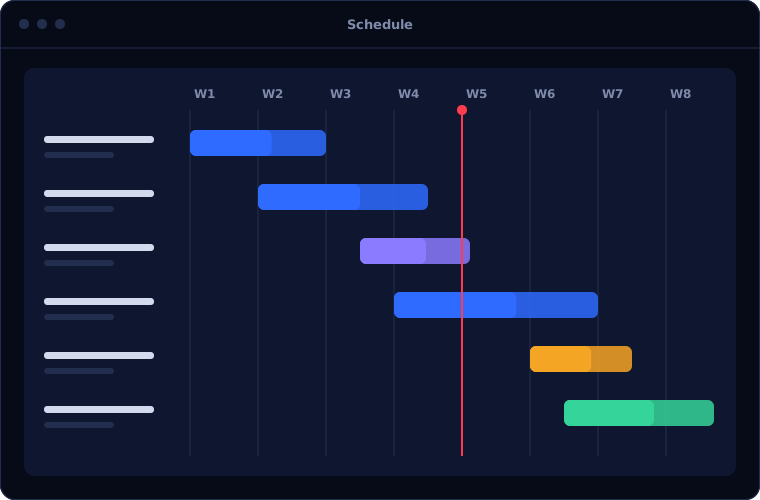
What Odoo Project does
Odoo Project links delivery to revenue.
Tasks and stages
Work organised on boards, with owners, deadlines and dependencies.
Timesheets
Hours recorded on tasks and validated by managers.
Planning
Staff allocated to projects, with workload visible.
Billing
Invoices raised by time and materials, milestones or fixed price.
Profitability
Revenue and cost compared for every project.
Customer portal
Clients follow tasks and give feedback.
Is Odoo Project the right fit?
Odoo Project is strongest when sold work becomes a project automatically.
A strong fit when
- You sell services through Odoo Sales
- You bill by time, milestone or fixed fee
- You need profitability by project
- You want support tickets and projects connected
Look elsewhere when
- You need project management only, where Zoho Projects is a lighter option
- You need advanced scheduling for large construction programmes
- You do not use Odoo for sales or accounting
How we implement Odoo Project
We model your project types before building templates.
Review delivery
We look at project types, stages, roles and billing methods.
You receiveA delivery modelConfigure
We set up templates, stages, timesheets and billing policies.
You receiveConfigured projectsConnect sales
A confirmed sales order creates the project and tasks.
You receiveA tested sale-to-project flowBring in live work
Current projects and tasks are loaded.
You receiveLive projects in OdooTrain
Managers and team members are trained on their own work.
You receiveTraining and a guide
Problems we are asked to solve
These are the project problems clients raise.
| The situation | What we do |
|---|---|
| Nobody knows whether a project is profitable | Compare timesheet cost and revenue per project |
| Billable hours are missed | Invoice directly from validated timesheets |
| Projects are set up by hand after each sale | Create the project automatically from the sales order |
| Workload is uneven | Use planning to see and balance allocation |
Common questions
Can a sale create a project automatically?
Yes. Service products can be set to create a project or task when the order is confirmed.
Does it include Gantt charts?
A Gantt view is available in the Enterprise edition.
Can clients see their projects?
Yes, through the customer portal.
Can we bill fixed price and hourly work?
Yes. The billing method is set per service.
How this page is maintained. Written and reviewed by the BookMyTechies implementation team, based on our project work. Product details are checked against Odoo's documentation, and pricing is linked to Odoo's own page because it changes.
Explore further
The same job on other platforms
AI automation for this
Unsure which projects make money? Talk to us.
Tell us how projects are sold, delivered and billed. We will show you how Odoo connects them.