Zoho Invoice setup for fast, professional billing
We set up Zoho Invoice so small businesses and professionals send branded quotes and invoices, collect payments online and chase overdue amounts automatically.
At a glance
| What it is | Invoicing and billing software from Zoho |
| Best for | Freelancers, consultants and small service businesses |
| Works with | Payment gateways, Zoho CRM and Zoho Books |
| Our role | Setup, templates, payments, reminders and training |
| Pricing | See Zoho’s website for current plans |
The short answer
Zoho Invoice is Zoho’s invoicing application for small businesses that need professional quotes, invoices and payment collection without a full accounting system. BookMyTechies sets it up with your branding, taxes, payment gateways and reminders, and moves you to Zoho Books when you need full accounting.
What Zoho Invoice does
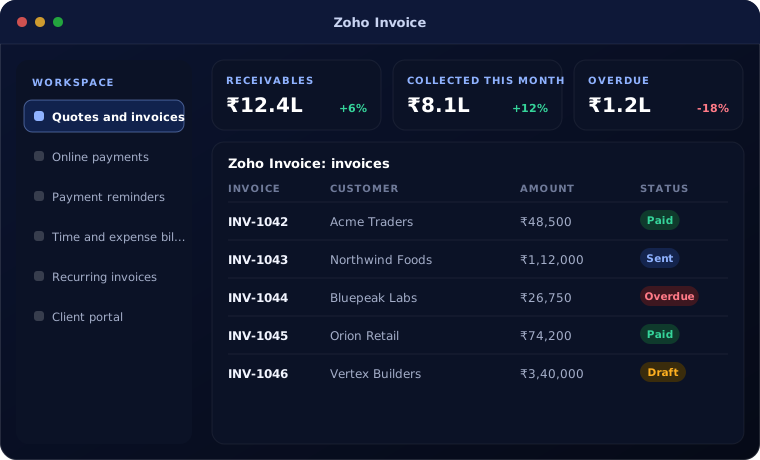
Zoho Invoice covers billing end to end.
Quotes and invoices
Branded documents created in minutes.
Online payments
Customers pay through connected payment gateways.
Payment reminders
Overdue invoices chased automatically.
Time and expense billing
Bill hours and expenses to clients.
Recurring invoices
Retainers and subscriptions invoiced automatically.
Client portal
Clients view and pay invoices online.
Is Zoho Invoice the right fit?
Zoho Invoice suits billing-focused businesses.
A strong fit when
- You mainly need to send quotes and invoices and get paid
- You are a freelancer or small service firm
- You want automated payment reminders
Look elsewhere when
- You need full accounting, bank reconciliation and tax filing, where Zoho Books fits
- You manage stock, where Zoho Inventory fits
How we implement Zoho Invoice
Setup takes days, not weeks.
Understand your process
We review how your team works today and what Zoho Invoice needs to do.
You receive A short requirements summary
Configure
We set up Zoho Invoice with your fields, stages, templates, users and permissions.
You receive A configured system
Connect and import
We import your data and connect the tools you already use.
You receive Your data, ready to use
Train and launch
Your team is trained on real tasks and we support the first weeks.
You receive A live system your team uses
Problems we are asked to solve
These are the situations clients most often bring to us.
| The situation | What we do |
|---|---|
| Invoices are made in Word or Excel | Set up branded templates and numbering |
| Payments arrive late | Add payment links and automatic reminders |
| We now need full accounting | Move to Zoho Books with history |
Related products
Billing connects to these.
Common questions
What is the difference between Zoho Invoice and Zoho Books?
Zoho Invoice handles quotes, invoices and payments. Zoho Books adds full accounting: bills, banking, inventory and tax returns.
Does Zoho Invoice support GST?
Yes, GST details can be applied on invoices for Indian businesses.
Can we upgrade to Zoho Books later?
Yes. Data can be moved to Zoho Books when you need full accounting.
How this page is maintained. Written and reviewed by the BookMyTechies implementation team, based on our project work. Product details are checked against Zoho’s documentation, and pricing is linked to Zoho’s own page because it changes.
Explore further
The same job on other platforms
AI automation for this
Often used alongside
Want to get paid faster?
Tell us how you bill clients today. We will set up Zoho Invoice to send and chase invoices for you.