AI automation with Microsoft
We add AI automation to the Microsoft stack, using Copilot, Power Automate and Azure AI across Dynamics 365, Business Central and Microsoft 365.
The short answer
Microsoft builds AI into its business products through Copilot, and provides Power Automate and AI Builder for automating processes and reading documents. Azure AI services allow custom solutions within your own Microsoft environment. BookMyTechies combines these so automation runs inside the tools your staff already use.
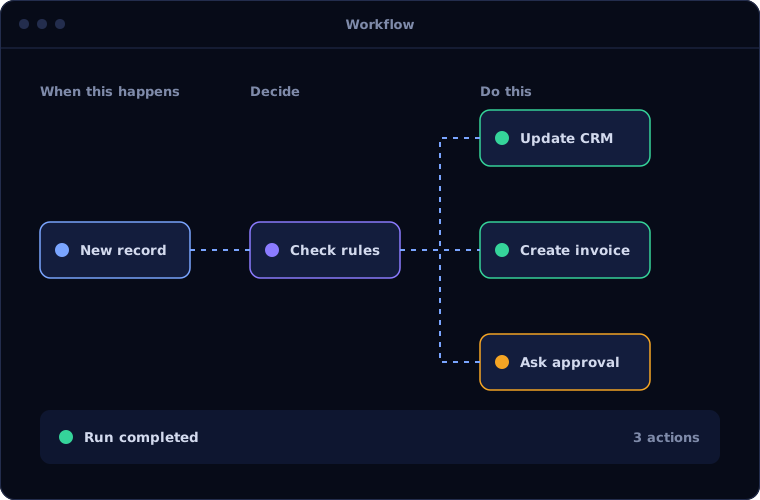
The tools are licensed, but the automation is not built
Organisations on Microsoft 365 often already own much of what they need. Power Automate sits unused, Copilot is switched on without a plan, and staff still move data between Outlook, Excel and Dynamics by hand.
The opportunity is to connect what is already there.
How the work is usually done today
- Information arrives in Outlook or Teams
- Staff copy it into Dynamics or Excel
- Approvals are requested by email
- Data is exported to build reports
- The same steps repeat every day
What AI changes
We build on Microsoft's own AI and automation layer, inside your tenant.
Copilot in your applications
Summaries, drafts and suggestions inside Dynamics 365 and Business Central.
Power Automate flows
Processes automated across Microsoft and third-party systems.
AI Builder
Documents and forms read, with data passed into your flows.
Azure AI services
Custom assistants and agents built within your Microsoft environment.
How the automation works
A typical flow across Microsoft tools looks like this.
Trigger
An email, form or record starts a Power Automate flow.
Handled byYour systemsRead
AI Builder or Azure AI extracts the content.
Handled byAIRoute
The flow applies your rules and requests approval.
Handled byYour systemsApprove
A manager approves in Teams or Outlook.
Handled byPersonUpdate
Dynamics 365 or Business Central is updated.
Handled byYour systems
Where people stay in control
Microsoft's security model applies to automation as it does to people.
- Approvals happen in Teams and Outlook, where managers already work
- Automation runs under your Microsoft security and permissions
- Data stays within your Microsoft environment where configured to
- Flows are documented so your IT team can maintain them
Security and governance
- The AI works only with the data and systems it has been given access to
- Every automated action is logged with what was done, when and why
- Confidential data is handled under your access rules, and we agree where it is processed before work starts
Systems this connects to
What you can expect
Results depend on your volumes and how clean your data is, so we measure a baseline first and report against it. We do not quote figures before we have seen the process.
- More return from Microsoft licences you already hold
- Less copying between Outlook, Excel and Dynamics
- Approvals that take minutes
- Automation governed by your IT policies
Common questions
Do we need Copilot licences?
Only for Copilot features. Much can be automated with Power Automate and AI Builder, which many organisations already have. We review your licences first.
Can this run entirely within our Microsoft tenant?
In most cases, yes, using Azure AI services. This is often preferred where data must not leave your environment.
Does it work with Business Central?
Yes. Business Central works with Power Automate and includes Copilot features.
Will our IT team be able to maintain it?
Yes. We build with standard Microsoft tools and document every flow.
On Microsoft 365 but still working by hand? Talk to us.
Tell us which Microsoft products you use. We will show you what can be automated with what you already own.