Zoho Catalyst setup for custom business applications
We build custom applications on Zoho Catalyst, Zoho’s serverless development platform, when a process needs more than configuration or low-code, such as manufacturing execution screens, portals and integrations.
At a glance
| What it is | Zoho’s serverless platform for building and running custom applications |
| Best for | Custom apps, APIs and integrations around Zoho systems |
| Works with | Zoho ERP, CRM, Books, Inventory and Creator |
| Our role | Architecture, development, integration, deployment and support |
| Pricing | See Zoho’s website for current plans |
The short answer
Zoho Catalyst is a full-stack, serverless development platform from Zoho. Developers write functions, store data, schedule jobs and host web applications without managing servers, and connect them to Zoho apps through APIs. BookMyTechies uses Catalyst when Zoho Creator’s low-code approach is not enough, for example for high-volume shop-floor data, custom portals or complex integrations.
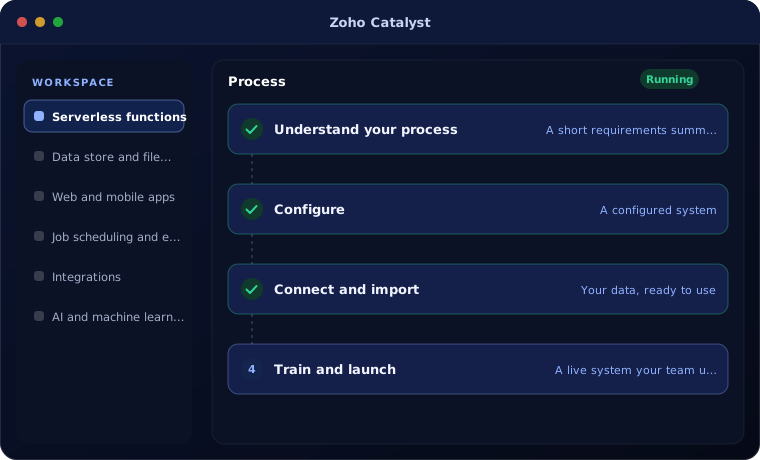
What Zoho Catalyst does
Catalyst provides the building blocks for custom applications.
Serverless functions
Business logic that runs on demand and scales automatically.
Data store and file storage
Structured data and files for your application.
Web and mobile apps
Host custom front ends for staff, customers or partners.
Job scheduling and events
Run tasks on a schedule or in response to events.
Integrations
Connect Zoho ERP, CRM and outside systems through APIs.
AI and machine learning services
Add document reading or prediction to your app.
Is Zoho Catalyst the right fit?
Catalyst fits when you need real custom software inside the Zoho ecosystem.
A strong fit when
- You need custom logic or volume beyond Zoho Creator
- You want custom apps that stay close to your Zoho data
- You need portals or integrations with your own design
- You have developers or a partner to maintain code
Look elsewhere when
- A form or simple workflow app will do, where Zoho Creator is faster
- You do not use Zoho at all
How we implement Zoho Catalyst
We build Catalyst applications in short cycles.
Understand your process
We review how your team works today and what the Catalyst application needs to do.
You receive A short requirements summary
Configure
We set up the Catalyst application with your fields, stages, templates, users and permissions.
You receive A configured system
Connect and import
We import your data and connect the tools you already use.
You receive Your data, ready to use
Train and launch
Your team is trained on real tasks and we support the first weeks.
You receive A live system your team uses
Problems we are asked to solve
These are the situations clients most often bring to us.
| The situation | What we do |
|---|---|
| A shop-floor process needs fast, custom screens | Build a Catalyst app connected to Zoho ERP |
| Creator app has outgrown low-code limits | Move heavy logic into Catalyst functions |
| Data must sync with an outside system | Build a monitored integration on Catalyst |
Related products
Catalyst works alongside these.
Common questions
What is the difference between Zoho Creator and Zoho Catalyst?
Creator is a low-code platform for forms, workflows and reports. Catalyst is a pro-code serverless platform for custom applications and integrations.
Can a Catalyst app use Zoho ERP data?
Yes. Catalyst applications connect to Zoho apps through their APIs.
Who maintains a Catalyst application?
We document and support it, or hand it over to your developers.
How this page is maintained. Written and reviewed by the BookMyTechies implementation team, based on our project work. Product details are checked against Zoho’s documentation, and pricing is linked to Zoho’s own page because it changes.
Explore further
The same job on other platforms
AI automation for this
Often used alongside
Need software that standard tools cannot handle?
Describe the process. We will tell you whether Creator or Catalyst is the right base and what it would take.