Power Automate workflow automation
We build automated workflows in Power Automate that move information between your systems and handle approvals without email chains.
The short answer
Power Automate creates workflows that start from an event, such as an email or a new record, and carry out actions across applications, including approvals in Teams. It can also automate older desktop software. BookMyTechies designs the flows, handles errors properly and monitors them once live.
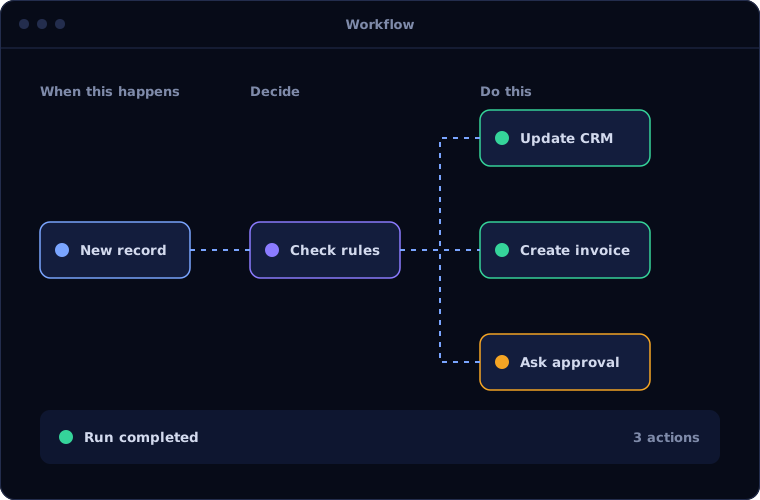
What Power Automate does
Power Automate connects everyday tools.
Cloud flows
Workflows triggered by events or schedules across online services.
Approvals
Requests sent to approvers in Teams or Outlook, with the outcome recorded.
Connectors
Ready-made links to Microsoft and third-party applications.
Desktop flows
Tasks in older software automated by imitating clicks and keystrokes.
AI Builder
Documents and forms read as part of a flow.
Monitoring
Run history and alerts for failures.
Is Power Automate the right fit?
Power Automate is the natural automation tool on Microsoft.
A strong fit when
- You use Microsoft 365
- Staff move data between applications by hand
- Approvals take place in email
- Some systems have no interface and need desktop automation
Look elsewhere when
- Your systems are mainly Zoho, where Zoho Flow fits better
- The process is complex enough to need a custom application
- You need to process very large data volumes in bulk
How we implement Power Automate
We design flows to fail safely and visibly.
Review the process
We identify the manual steps and where data is re-entered.
You receiveA list of automation candidatesDesign
We define triggers, actions, approvals and error handling.
You receiveFlow designsBuild and test
We build the flows and test them with real examples.
You receiveTested flowsGo live
Flows are switched on with monitoring.
You receiveLive automationMaintain
We watch for failures and adjust as systems change.
You receiveMonitoring and support
Problems we are asked to solve
These are the automation requests we see most.
| The situation | What we do |
|---|---|
| Approvals are lost in inboxes | Send approvals to Teams and record the result |
| Attachments are saved and renamed by hand | File them automatically in SharePoint |
| Data is copied from email into a system | Extract and enter it with a flow |
| An old application has no way to connect | Use a desktop flow to operate it |
Common questions
Is Power Automate included in Microsoft 365?
Many plans include standard connectors. Premium connectors and desktop automation need extra licences.
Can it connect to non-Microsoft systems?
Yes, through connectors, interfaces or desktop flows.
What happens when a flow fails?
The failure is recorded and alerts are sent. We design retries and safe fallbacks.
Can our own staff build flows?
Yes, with training and governance so they remain manageable.
How this page is maintained. Written and reviewed by the BookMyTechies implementation team, based on our project work. Product details are checked against Microsoft's documentation, and pricing is linked to Microsoft's own page because it changes.
Explore further
The same job on other platforms
AI automation for this
Repeating the same manual steps every day? Talk to us.
Tell us what your staff do by hand. We will show you what Power Automate can take over.