AI email automation for shared inboxes
AI email automation reads your shared inboxes, works out what each message is about, puts the data where it belongs and drafts replies, so nothing waits in an inbox.
At a glance
| What AI does | Classifies emails, extracts data, drafts replies and routes work |
| Typical inboxes | Sales, orders, accounts, support and info@ addresses |
| Works with | Microsoft 365, Zoho Mail, Gmail, CRM and ERP systems |
| People stay in charge of | Replies that matter and exceptions |
The short answer
AI email automation turns shared inboxes into structured work. Each incoming email is read by AI, classified as an order, enquiry, invoice, complaint or other type, and the details are extracted into your CRM, ERP or helpdesk. Replies are drafted for review and work is routed to the right person.
Why shared inboxes slow everything down
Shared inboxes mix orders, invoices, enquiries and complaints. Someone reads each message, decides who should handle it and copies details into another system.
Messages wait for days, get handled twice or not at all.
How the work is usually done today
- Emails arrive in a shared inbox
- Someone reads and forwards them
- Details are copied into systems
- Replies written from scratch
- Nobody knows what is outstanding
What AI changes
AI turns email into organised work.
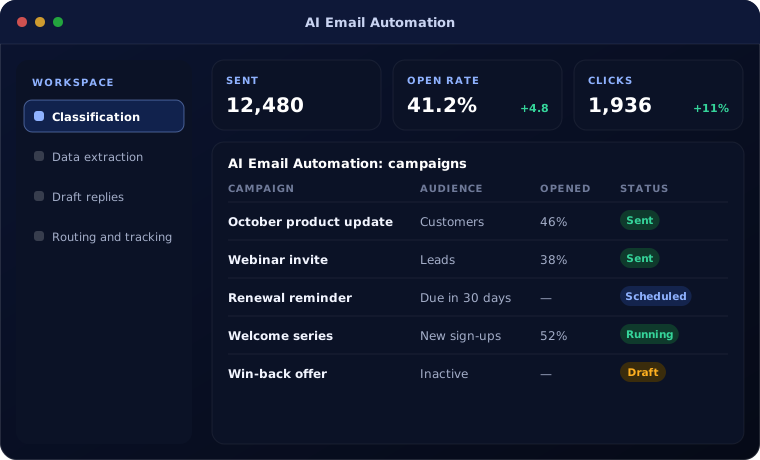
Classification
Each email labelled by type, urgency and customer.
Data extraction
Orders, invoices and requests captured into systems.
Draft replies
Context-aware replies drafted for review.
Routing and tracking
Work assigned to the right team with deadlines.
How AI email automation works
Each email is handled like this:
Read
AI reads the email and attachments.
Handled by AI agent
Classify
The type, urgency and customer are identified.
Handled by AI agent
Capture
Data is entered into the right system.
Handled by Automation
Reply
A reply is drafted and reviewed.
Handled by Person
Track
The item is tracked until closed.
Handled by Automation
Where people stay in control
Your team decides what is sent.
- Replies are reviewed before sending unless you allow otherwise
- Sensitive emails are routed directly to people
- Attachments are scanned before processing
- Every action is logged
Security and governance
- Access limited to the documents and records each step needs
- Every automated action logged with who or what made it
- Data kept in your own systems and approved cloud services
Systems this connects to
What you can expect
Typical outcomes:
- Faster responses from shared inboxes
- No emails lost or handled twice
- Less copying between email and systems
- Clear view of outstanding work
Common questions
Does it work with Outlook and Gmail?
Yes. It works with Microsoft 365, Google Workspace and Zoho Mail.
Can it read attachments such as purchase orders?
Yes. Attachments are read and their data extracted.
Will it send emails automatically?
Only for simple, approved message types if you allow it. Most clients start with drafts.
How accurate is classification?
We measure accuracy on your own emails during testing and only automate types that meet an agreed level.
Explore further
Platforms this automation runs on
Often used alongside
Is a shared inbox holding up your team?
Tell us which inboxes cause the most work. We will show you how AI email automation would handle them.