Dynamics 365 Sales implementation
We implement Dynamics 365 Sales for teams that live in Outlook and Teams, so customer records and pipeline are available where they already work.
The short answer
Dynamics 365 Sales manages leads, opportunities and accounts, guides salespeople through defined stages and connects closely to Outlook, Teams and Excel. It suits mid-sized and larger sales teams in Microsoft-centred organisations. BookMyTechies configures it to your sales process and connects it to your finance and reporting systems.
What Dynamics 365 Sales does
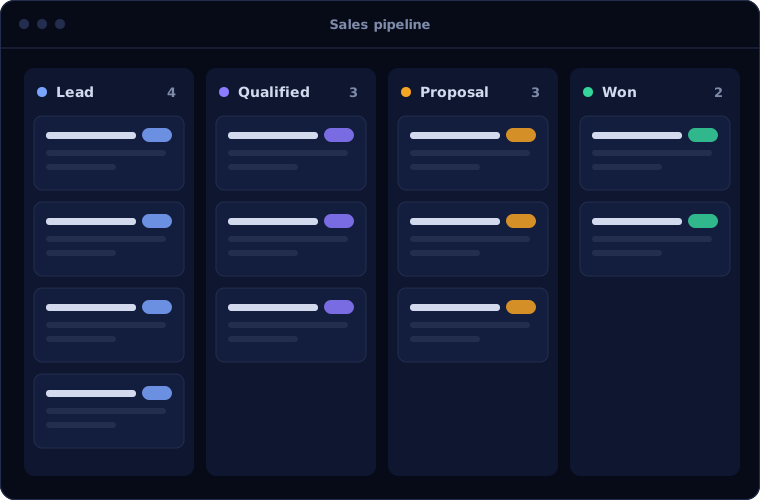
Dynamics 365 Sales brings structure to selling inside Microsoft tools.
Lead and opportunity management
Records tracked through a guided process, stage by stage.
Outlook and Teams integration
Emails and meetings linked to records, and records opened from within Outlook and Teams.
Forecasting
Forecasts built from the pipeline, by team and period.
Sequences
Planned steps for following up leads consistently.
Copilot assistance
Summaries of records and emails, and help drafting replies.
Dashboards
Pipeline and performance views, with deeper analysis in Power BI.
Is Dynamics 365 Sales the right fit?
Dynamics 365 Sales is worth its cost in the right environment.
A strong fit when
- Your organisation runs on Microsoft 365
- You have a structured sales process and a sizeable team
- You need tight security, roles and audit
- You use, or plan to use, Business Central or Power BI
Look elsewhere when
- You are a small team needing a simple CRM, where Zoho CRM costs less
- You do not use Microsoft 365
- You want CRM and operations in one low-cost system, where Odoo fits
How we implement Dynamics 365 Sales
A CRM succeeds when the sales team sees it as a help. We design with them.
Define the sales process
We agree stages, required information and handovers.
You receiveA documented sales processConfigure
We set up entities, stages, security roles and views.
You receiveA configured CRMIntegrate
We connect Outlook, Teams and your finance system.
You receiveRecords available in daily toolsMigrate
Accounts, contacts and open opportunities are imported.
You receiveClean data in DynamicsTrain and adopt
Salespeople are trained in their own pipeline.
You receiveTraining and adoption support
Problems we are asked to solve
These are the reasons clients move to Dynamics 365 Sales.
| The situation | What we do |
|---|---|
| Customer information lives in individual mailboxes | Link emails and meetings to shared records |
| Forecasts are built in spreadsheets | Forecast from the live pipeline |
| Sales and finance see different customer data | Connect Dynamics 365 Sales with Business Central |
| The current CRM does not meet security requirements | Use role-based security and audit trails |
Common questions
Does it work inside Outlook?
Yes. Salespeople can view and update records and track emails from Outlook.
How is it different from Business Central?
Business Central is an ERP with basic sales features. Dynamics 365 Sales is a dedicated CRM for managing the sales process.
Is Copilot included?
Copilot features are part of Dynamics 365 Sales, with availability depending on licence and region. We check what applies to you.
Can we migrate from another CRM?
Yes. We map and import your data and verify it with you.
How this page is maintained. Written and reviewed by the BookMyTechies implementation team, based on our project work. Product details are checked against Microsoft's documentation, and pricing is linked to Microsoft's own page because it changes.
Explore further
The same job on other platforms
AI automation for this
Often used alongside
Sales team living in Outlook? Talk to us.
Tell us how your team sells today. We will show you how Dynamics 365 Sales would fit.