Zoho CRM implementation and consulting
We set up Zoho CRM around the way your sales team works, move your data across, connect it to the tools you already use, and train your people to run it.
The short answer
Zoho CRM gives a sales team one place to track every lead, deal and customer conversation, and it automates the follow-up work that usually gets missed. It suits growing companies that want a capable CRM at a per-user price. BookMyTechies configures it to your sales process, migrates your data and stays on for support.
What Zoho CRM does
Zoho CRM replaces the spreadsheets, inboxes and notebooks that sales teams outgrow. These are the capabilities our clients use most.
Lead and deal management
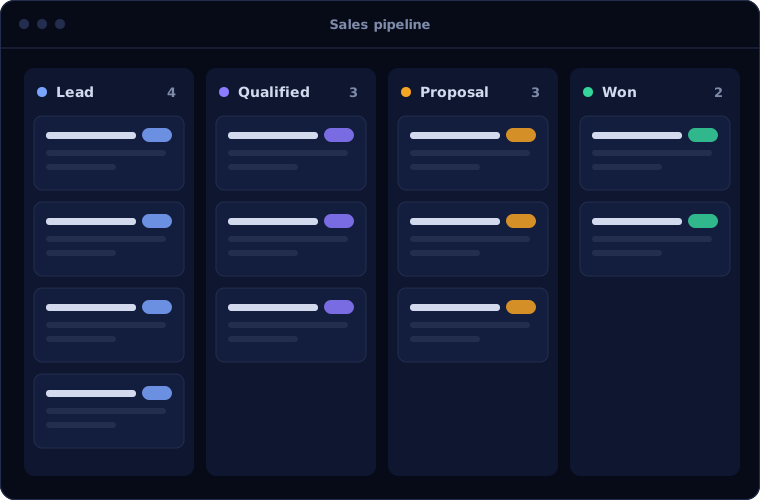
Capture leads from your website, email and calls, assign them automatically, and move deals through a pipeline that matches your stages.
Workflow automation
Rules that send follow-ups, create tasks, update fields and alert managers, so routine steps happen without anyone remembering them.
Guided sales processes
Blueprints walk each salesperson through the steps your business requires, such as approvals before a discount or documents before a deal closes.
Email, phone and chat in one place
Conversations are logged against the customer record, so anyone picking up an account sees the full history.
Reports and forecasts
Dashboards for pipeline, conversion and team performance, with forecasts managers can check without asking for a spreadsheet.
Built-in AI assistant
Zia, Zoho's assistant, highlights deals likely to close, suggests the best time to contact someone and flags unusual changes in your numbers.
Is Zoho CRM the right fit?
No CRM suits every business. This is where we recommend Zoho CRM, and where we would point you to something else.
A strong fit when
- Your sales team has outgrown spreadsheets or a basic contact tool
- You want CRM, accounting and support to share data over time
- You need a capable system at a predictable per-user cost
- Your process is clear enough to configure, or you want help defining it
Look elsewhere when
- Your company runs on Microsoft 365 and Dynamics, where Dynamics 365 Sales connects more naturally
- You need manufacturing and inventory in the same system, where Odoo is stronger
- You have a large in-house team already skilled in another platform
How we implement Zoho CRM
Every project follows the same five steps. At the end of each one, you have something concrete in hand.
Understand your sales process
We sit with your team and map how a lead becomes a customer today, including the workarounds.
You receiveA written process map and a list of gapsAgree the scope
We turn the process into a build plan: modules, fields, pipelines, automation and integrations.
You receiveScope, timeline and cost before work startsConfigure and customise
We build the system in stages and show you each stage, so changes are cheap to make.
You receiveA working system to review at each stageMigrate and connect
Your existing data is cleaned and imported, and the CRM is connected to email, telephony and accounting.
You receiveYour data in the CRM, checked with youTrain and support
Your team is trained on their own deals, and we stay on for questions and changes after go-live.
You receiveTraining sessions and a short user guide
Problems we are asked to solve
Most clients come to us with one of these situations.
| The situation | What we do |
|---|---|
| Leads arrive from several places and some are never followed up | Route every source into the CRM with automatic assignment and follow-up reminders |
| Managers cannot see the real pipeline without asking each salesperson | Build live pipeline and forecast dashboards from the deals themselves |
| The CRM was set up years ago and nobody uses it properly | Audit the existing setup, remove what is unused and rebuild around today's process |
| Sales and accounts keep separate records of the same customer | Connect Zoho CRM with Zoho Books so quotes, invoices and payments stay in step |
Common questions
What does a Zoho CRM implementation include?
It covers a review of your sales process, configuration of modules, fields and pipelines, automation of routine steps, migration of your existing customer data, integration with tools such as email, telephony and accounting, and training for your team.
How long does it take to go live with Zoho CRM?
A single sales team with a clear process can usually be live in a few weeks. Projects with several teams, complex approval rules or many integrations take longer and are best rolled out in stages. You receive a timeline for your project before work starts.
Can you migrate our data from spreadsheets or another CRM?
Yes. We clean and map your existing leads, contacts, companies, deals and activity history, then import them into Zoho CRM and check the results with you before go-live.
Is Zoho CRM suitable for a small business?
Yes. It is widely used by small and mid-sized businesses because it can start simple and grow with the company. Larger organisations with heavy customisation needs should compare it with Salesforce and Microsoft Dynamics 365 Sales.
Do you provide support after the system is live?
Yes. We offer ongoing support for fixes, new reports, added automation and training for new team members.
How this page is maintained. Written and reviewed by the BookMyTechies implementation team, based on our project work. Product details are checked against Zoho's documentation, and pricing is linked to Zoho's own page because it changes.
Explore further
The same job on other platforms
AI automation for this
Often used alongside
Thinking about Zoho CRM? Start with a conversation.
Tell us how your sales team works today. We will tell you whether Zoho CRM fits and what it would take to go live.