Zoho Books setup and accounting migration
We set up Zoho Books for your business, bring across your opening balances and history, connect your bank and train your accounts team to close the month without spreadsheets.
The short answer
Zoho Books is online accounting software that handles invoicing, bills, expenses, bank reconciliation and tax returns in one place. It suits owner-managed and growing businesses that want accounts to be current every day, not rebuilt at month end. BookMyTechies sets up the books, migrates your existing data and trains your team.
What Zoho Books does
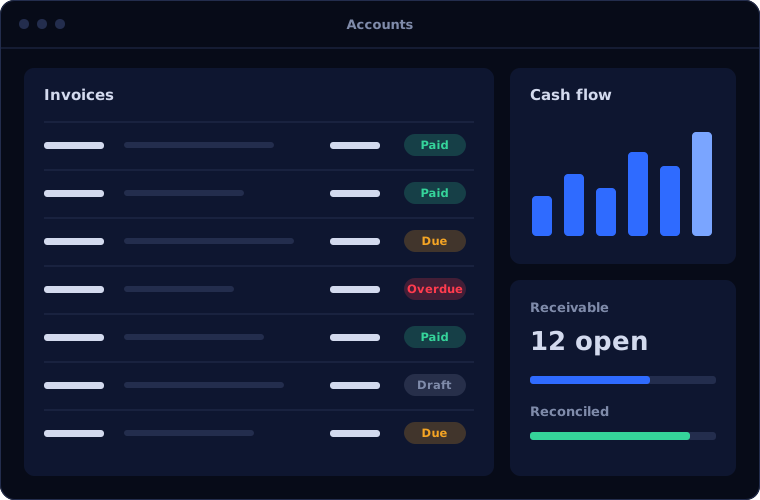
Zoho Books covers the day-to-day accounting a growing business needs. These are the parts clients rely on most.
Invoicing and collections
Branded invoices, recurring billing, payment links and automatic reminders that shorten the time it takes to get paid.
Bills and expenses
Record supplier bills, track what is due and capture expenses with receipts attached to each entry.
Bank feeds and reconciliation
Transactions arrive from your bank and are matched against invoices and bills, so reconciliation takes minutes.
Tax compliance
Tax rates applied on each transaction and tax reports ready for filing, including GST for Indian businesses.
Client and vendor portals
Customers view and pay invoices online, and vendors see their purchase orders and payment status.
Financial reports
Profit and loss, balance sheet, cash flow and receivables ageing, available whenever you need them.
Is Zoho Books the right fit?
Zoho Books is strong for most small and mid-sized businesses, and less suited to a few specific situations.
A strong fit when
- You are moving from spreadsheets or desktop accounting to the cloud
- Your sales team uses Zoho CRM and you want quotes to become invoices
- You want your accountant and your team working in the same live books
- You need straightforward stock tracking alongside accounting
Look elsewhere when
- You run complex manufacturing costing, where Odoo or Business Central fit better
- You need consolidated accounts across many legal entities
- Your finance team depends on deep integration with Microsoft tools
How we implement Zoho Books
A clean setup at the start saves months of corrections later. This is how we do it.
Review your current books
We look at your chart of accounts, tax registrations, open invoices and bills, and how you close each month.
You receiveA summary of what moves across and what gets cleaned upDesign the setup
We agree the chart of accounts, tax settings, invoice templates, approval rules and user roles.
You receiveA setup plan with timeline and costConfigure and connect
We build the organisation in Zoho Books and connect bank feeds, payment gateways and other Zoho apps.
You receiveA configured system ready for your dataMigrate balances and history
Opening balances, customers, vendors, items and open transactions are imported and tied back to your old books.
You receiveA reconciliation showing old and new books agreeTrain and hand over
Your accounts team runs a real month in the new system with us alongside.
You receiveTraining and a month-end checklist
Problems we are asked to solve
These are the accounting problems clients most often bring to us.
| The situation | What we do |
|---|---|
| Invoices go out late and nobody chases overdue payments | Set up recurring invoices, payment links and automatic reminders |
| Month end takes days of matching bank statements | Connect bank feeds and build matching rules so most entries reconcile automatically |
| Sales works in one system and accounts in another | Link Zoho CRM and Zoho Books so a won deal produces the invoice |
| The books were migrated badly and balances do not agree | Audit the setup, correct opening balances and rebuild the affected periods |
Common questions
Can you migrate our accounts from Tally, QuickBooks or spreadsheets?
Yes. We bring across your chart of accounts, customers, vendors, items, opening balances and open transactions, then reconcile the new books against the old ones before you switch.
Is Zoho Books suitable for GST in India?
Yes. Zoho Books supports GST on transactions and produces the reports needed for filing. We configure your tax settings as part of the setup.
Do we need to change our accountant?
No. Your accountant can be given access to work in the same live books, which usually makes their work easier.
How long does a Zoho Books setup take?
A straightforward setup can be completed in a few weeks. Migrations with several years of history or many integrations take longer, and we give you a timeline before starting.
How this page is maintained. Written and reviewed by the BookMyTechies implementation team, based on our project work. Product details are checked against Zoho's documentation, and pricing is linked to Zoho's own page because it changes.
Explore further
The same job on other platforms
AI automation for this
Often used alongside
Want your accounts current every day? Let us talk.
Tell us how your accounts are kept today. We will tell you what a move to Zoho Books would involve.