Odoo CRM implementation
We set up Odoo CRM so your pipeline, quotations, stock and invoices live in one system, and a won deal flows straight into delivery.
The short answer
Odoo CRM manages leads and opportunities on a visual pipeline, schedules follow-up activities and turns opportunities into quotations in Odoo Sales. Its strength is that sales shares one database with stock, delivery and accounts. BookMyTechies configures the pipeline around your sales stages and connects it to the rest of Odoo.
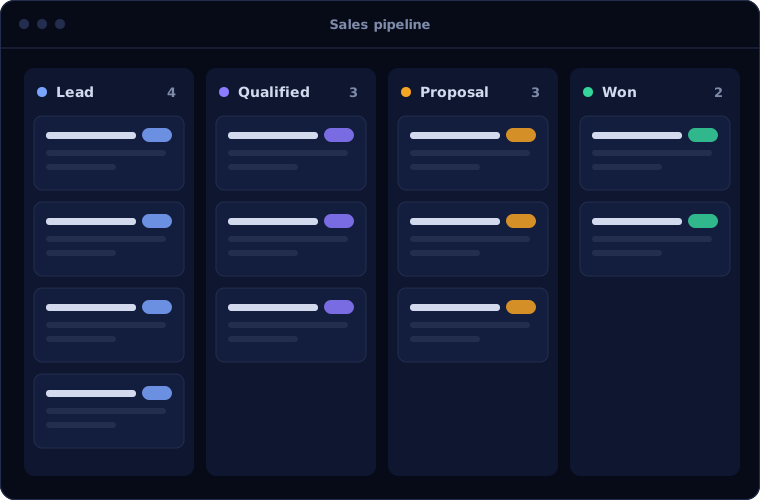
What Odoo CRM does
Odoo CRM keeps selling connected to fulfilment. These are the capabilities clients use most.
Visual pipeline
Opportunities moved between stages by drag and drop, with expected revenue per stage.
Lead capture
Leads created from emails, website forms and live chat.
Activities
Calls, meetings and follow-ups scheduled against each opportunity, so nothing is forgotten.
Lead scoring and assignment
Leads scored and distributed to sales teams by rules.
Quotations
An opportunity becomes a quotation in Odoo Sales with one click.
Reporting
Pipeline, win rate and forecast reports by team and salesperson.
Is Odoo CRM the right fit?
Odoo CRM is the right CRM when the rest of the business is in Odoo.
A strong fit when
- You use, or plan to use, Odoo for sales orders, stock or accounting
- You want quotes, deliveries and invoices tied to the opportunity
- Your sales process is straightforward
- You want one system instead of a CRM plus integrations
Look elsewhere when
- You need a CRM only, where Zoho CRM offers more depth for the price
- You need advanced sales automation and AI assistance out of the box
- Your sales team lives in Outlook and Teams, where Dynamics 365 Sales fits
How we implement Odoo CRM
We design the pipeline with your sales team before configuring it.
Map the sales process
We agree stages, lead sources and what must happen at each step.
You receiveA pipeline designConfigure
We set up teams, stages, activity types, scoring and assignment rules.
You receiveA configured CRMConnect
We link lead sources and connect Sales, Inventory and Accounting.
You receiveLeads flowing in, quotes flowing outMigrate
Existing leads, customers and open opportunities are imported.
You receiveYour live pipeline in OdooTrain
Salespeople and managers practise on their own opportunities.
You receiveTraining and a short guide
Problems we are asked to solve
These are the problems that lead clients to Odoo CRM.
| The situation | What we do |
|---|---|
| Sales uses a separate CRM that does not know stock or prices | Run CRM inside Odoo so quotes use live products, prices and availability |
| Follow-ups are forgotten | Schedule next activities on every opportunity and report on overdue ones |
| Leads are shared out unevenly | Assign leads automatically by team, region or workload |
| Forecasts are guesses | Use expected revenue and probability by stage |
Common questions
Is Odoo CRM enough on its own?
It works alone, but its advantage is integration with other Odoo apps. For CRM only, compare it with Zoho CRM.
Can it capture leads from our website?
Yes, from Odoo website forms directly, and from other sites through email or integration.
Can we import data from our current CRM?
Yes. Leads, contacts, companies and open opportunities are imported and checked.
Does it work on mobile?
Yes. Odoo has a mobile app and a responsive web interface.
How this page is maintained. Written and reviewed by the BookMyTechies implementation team, based on our project work. Product details are checked against Odoo's documentation, and pricing is linked to Odoo's own page because it changes.
Explore further
The same job on other platforms
AI automation for this
Often used alongside
Want sales and operations in one system? Talk to us.
Tell us how you sell and fulfil today. We will show you how Odoo CRM connects the two.