Accounts payable automation with control at every step
Accounts payable automation covers the whole cycle from supplier invoice to payment: capture, matching, approval, scheduling and supplier queries, with your finance team in control.
At a glance
| What it automates | The full payables cycle, not only data entry |
| Works with | Zoho Books, Odoo, Business Central and Dynamics 365 Finance |
| People stay in charge of | Approvals, payment release and exceptions |
| Measures | Cost per invoice, cycle time, on-time payment |
The short answer
Accounts payable automation connects every step of paying suppliers: receiving invoices, checking them, getting approval, scheduling payment and answering supplier questions. AI handles the reading and checking, workflows handle routing and reminders, and your finance team approves and releases payments. The result is faster, cheaper and better-controlled payables.
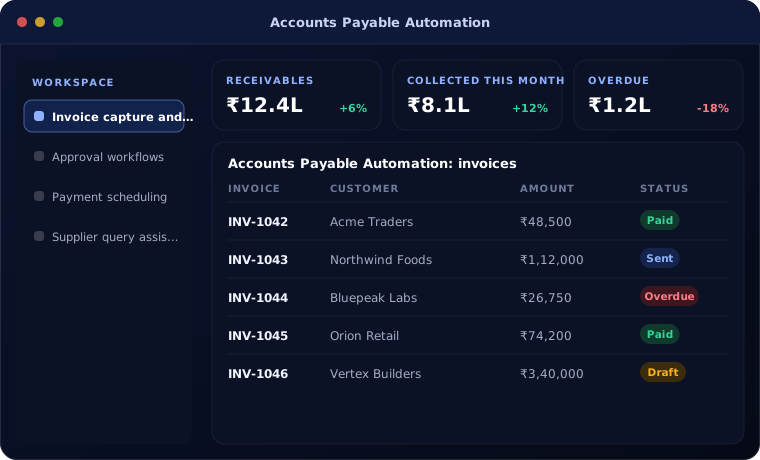
Where accounts payable loses time and money
In most growing businesses, payables run on email and spreadsheets. Invoices wait in inboxes, approvers forget, payments go out late or twice, and suppliers phone to ask where their money is.
The finance team spends its time chasing paper instead of managing cash.
How the work is usually done today
- Invoices collected from several inboxes
- Data typed into accounts
- Approvals chased by email and phone
- Payment lists prepared in a spreadsheet
- Supplier calls answered one by one
What AI changes
Automation removes the chasing and keeps the control.
Invoice capture and matching
Invoices read automatically and matched to orders and receipts.
Approval workflows
Rules route invoices to the right approver, with reminders and escalation.
Payment scheduling
Due invoices proposed for payment runs, taking discounts and cash into account.
Supplier query assistant
Suppliers get invoice and payment status without calling your team.
How accounts payable automation works
An end-to-end payables flow looks like this.
Receive
Invoices captured from email, portal or scan.
Handled by Automation
Check
Extracted, matched and checked for duplicates and tax.
Handled by AI agent
Approve
Routed to approvers with reminders.
Handled by Person
Schedule payment
Approved invoices proposed for the next payment run.
Handled by Automation
Release payment
Finance reviews and releases the payment batch.
Handled by Person
Where people stay in control
Automation prepares; people decide.
- Payments are always released by an authorised person
- Approval limits follow your delegation of authority
- Supplier bank changes need independent verification
- Full audit trail for auditors
Security and governance
- Access limited to the documents and records each step needs
- Every automated action logged with who or what made it
- Data kept in your own systems and approved cloud services
Systems this connects to
- Invoice processing automation
- AI finance automation
- Month-end close automation
- Odoo Accounting
- Dynamics 365 Finance
What you can expect
These are the improvements clients usually aim for.
- Lower cost and time per invoice
- Approvals completed in days, not weeks
- Fewer late payments and missed discounts
- Fewer supplier calls to the finance team
Common questions
How is this different from invoice processing automation?
Invoice processing covers capture and checking. Accounts payable automation covers the full cycle, including approvals, payment runs and supplier queries.
Can approvals be done on mobile?
Yes. Approvers can review and approve from email or the mobile app of your accounting system.
Does it work with our bank?
Payment files can be produced in the format your bank accepts, or payments made through supported banking integrations.
Will auditors accept it?
Yes. Every step is logged with time and user, which usually makes audits easier.
Explore further
The same job on other platforms
AI automation for this
Often used alongside
Want payables to run without chasing?
Tell us how invoices are approved and paid today. We will map where automation fits.