Dynamics 365 Customer Service implementation
We implement Dynamics 365 Customer Service so cases are routed, tracked against service levels and resolved with the customer's full history to hand.
The short answer
Dynamics 365 Customer Service manages cases from several channels, routes them to the right agents, tracks them against service level agreements and supports agents with a knowledge base and Copilot. It suits organisations with structured service operations on Microsoft. BookMyTechies configures case handling, routing and reporting.
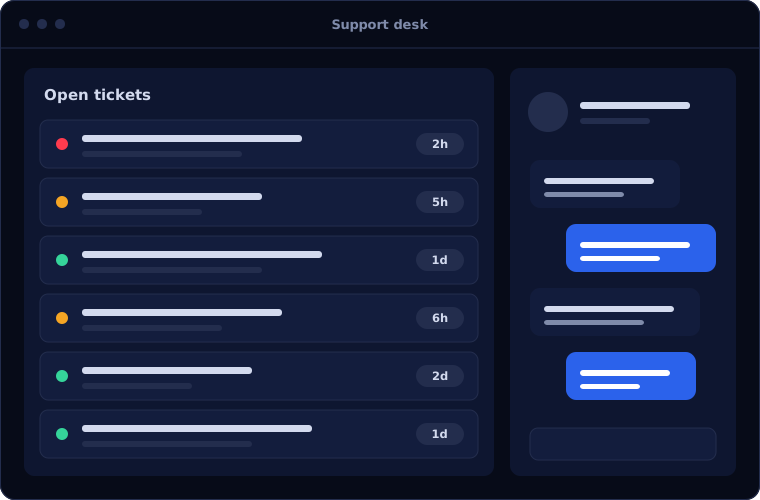
What Dynamics 365 Customer Service does
Dynamics 365 Customer Service organises support at scale.
Case management
Each request recorded, categorised and tracked to resolution.
Queues and routing
Cases sent to the right team or agent by rules.
Service level agreements
Response and resolution targets with warnings and escalation.
Knowledge base
Articles agents can search and share with customers.
Channels
Email, chat and other channels handled in one workspace.
Copilot for agents
Case summaries and suggested replies.
Is Dynamics 365 Customer Service the right fit?
This is a strong fit for structured service teams.
A strong fit when
- Your organisation uses Dynamics 365 or Microsoft 365
- You have service level commitments to meet
- Several teams or tiers handle cases
- You need reporting and audit on service
Look elsewhere when
- You have a small support team, where Zoho Desk is simpler and cheaper
- You do not use Microsoft products
- You mainly need field service scheduling, which is a separate product
How we implement Dynamics 365 Customer Service
We design case handling from your actual service commitments.
Review service operations
We examine case types, volumes, teams and commitments.
You receiveA service process mapDesign
We define categories, queues, routing and service levels.
You receiveA solution designConfigure
We set up the workspace, rules and knowledge base.
You receiveA configured service appConnect channels
Email, chat and portals are connected and tested.
You receiveCases arriving from every channelTrain
Agents and supervisors are trained on live cases.
You receiveTraining and go-live support
Problems we are asked to solve
These are the service problems clients want solved.
| The situation | What we do |
|---|---|
| Cases are handled from shared mailboxes | Create and route cases automatically |
| Service levels are promised but not measured | Apply and report on service level agreements |
| Agents give inconsistent answers | Build a knowledge base agents search from the case |
| Sales does not know about open issues | Share case history with Dynamics 365 Sales |
Common questions
Can customers raise cases through a portal?
Yes, using a portal built with Power Pages.
Does it include chat and voice?
Additional channels are available, some as add-ons. We advise on what you need.
How does Copilot help agents?
It summarises cases and drafts replies for the agent to review.
Can it work with our existing Dynamics 365 Sales?
Yes. They share the same customer records.
How this page is maintained. Written and reviewed by the BookMyTechies implementation team, based on our project work. Product details are checked against Microsoft's documentation, and pricing is linked to Microsoft's own page because it changes.
Explore further
The same job on other platforms
AI automation for this
Industries where this matters
Service commitments you cannot measure? Talk to us.
Tell us how cases are handled today. We will show you how Dynamics 365 Customer Service would manage them.