Zoho Campaigns setup for email marketing
We set up Zoho Campaigns so your contact lists are clean, your emails are sent to the right segments, and responses flow back into your CRM.
The short answer
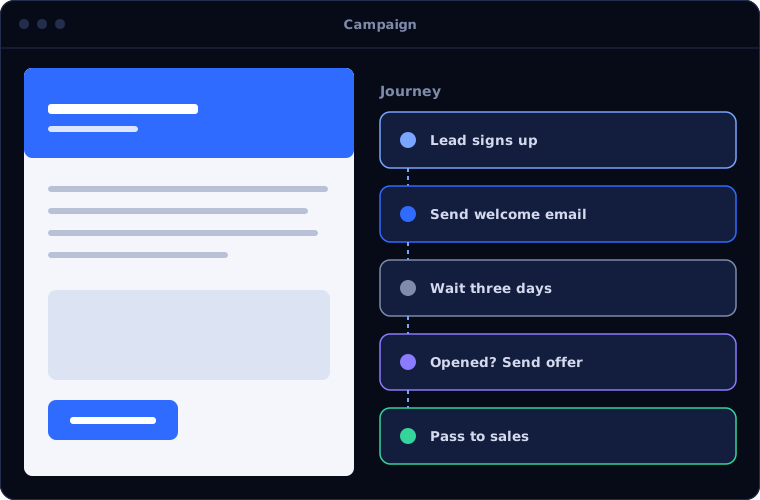
Zoho Campaigns sends email campaigns to segmented lists, automates follow-up sequences and reports on opens, clicks and responses. It suits businesses that want email marketing tied to their CRM data. BookMyTechies sets up the lists, templates, sending domain and automation, and connects it to Zoho CRM.
What Zoho Campaigns does
Zoho Campaigns covers the full email marketing cycle. These are the parts clients use most.
Lists and segments
Contacts organised by interest, behaviour or CRM data, so each message is relevant.
Templates
Branded, mobile-friendly email designs your team can reuse.
Automation
Welcome series, follow-ups and reminders sent on a schedule or in response to actions.
CRM sync
Leads and contacts kept in step with Zoho CRM, with campaign activity visible to sales.
Testing
Subject lines and content compared to see what performs.
Reports
Opens, clicks, bounces and unsubscribes by campaign and by contact.
Is Zoho Campaigns the right fit?
Zoho Campaigns suits email-led marketing. Wider needs point elsewhere.
A strong fit when
- You send newsletters, promotions or updates regularly
- Your contacts are in Zoho CRM
- You want follow-ups to go out automatically
- You need to see which contacts engage
Look elsewhere when
- You need journeys across email, web, SMS and social, where Zoho Marketing Automation fits
- You send only transactional emails such as receipts
- You do not have permission to email your contact list
How we implement Zoho Campaigns
Email marketing depends on clean lists and a properly authenticated domain. We set both up first.
Review lists and consent
We check where contacts came from, how they opted in and what state the data is in.
You receiveA clean-up plan for your listsSet up sending
We authenticate your domain and configure sender details.
You receiveA domain ready to sendBuild templates and segments
We create templates and the segments you will use most.
You receiveTemplates and segments ready to useAutomate
We build your key sequences and connect Zoho CRM.
You receiveWorking automation with test sendsTrain and review
Your team sends its first campaigns with us, and we review the results.
You receiveTraining and a first results review
Problems we are asked to solve
These are the email marketing problems we are asked to fix.
| The situation | What we do |
|---|---|
| Emails land in spam | Authenticate the sending domain and clean the list |
| Everyone receives the same message | Build segments from CRM data and past behaviour |
| Sales cannot see who responded | Sync campaign activity to the contact record in Zoho CRM |
| Follow-ups depend on someone remembering | Automate sequences triggered by sign-up or response |
Common questions
Can we import our existing contact list?
Yes, provided the contacts have agreed to receive email from you. We clean and import the list and set up consent records.
Does it connect to Zoho CRM?
Yes. Contacts sync both ways, and campaign responses appear on the CRM record.
How is this different from Zoho Marketing Automation?
Campaigns focuses on email. Marketing Automation covers multi-step journeys across several channels with lead scoring.
Can you improve our deliverability?
We set up domain authentication and list hygiene, which are the main factors within your control.
How this page is maintained. Written and reviewed by the BookMyTechies implementation team, based on our project work. Product details are checked against Zoho's documentation, and pricing is linked to Zoho's own page because it changes.
Explore further
AI automation for this
Often used alongside
Industries where this matters
Want email marketing that reaches the inbox? Talk to us.
Tell us who you email and how often. We will set up Zoho Campaigns to do it properly.