Zoho Bookings setup for appointments and scheduling
We set up Zoho Bookings so customers book appointments online, staff calendars stay in sync, reminders reduce no-shows and every booking lands in your CRM.
At a glance
| What it is | Online appointment scheduling software from Zoho |
| Best for | Consultants, clinics, salons, education and service teams |
| Works with | Google and Outlook calendars, Zoho CRM, Zoom and payments |
| Our role | Setup, integrations, payment and reminder configuration |
| Pricing | See Zoho’s website for current plans |
The short answer
Zoho Bookings lets customers choose a time online and books it straight into the right person’s calendar. It handles reminders, rescheduling, payments and video meeting links. BookMyTechies configures services, staff, rules and integrations so bookings flow into your CRM.
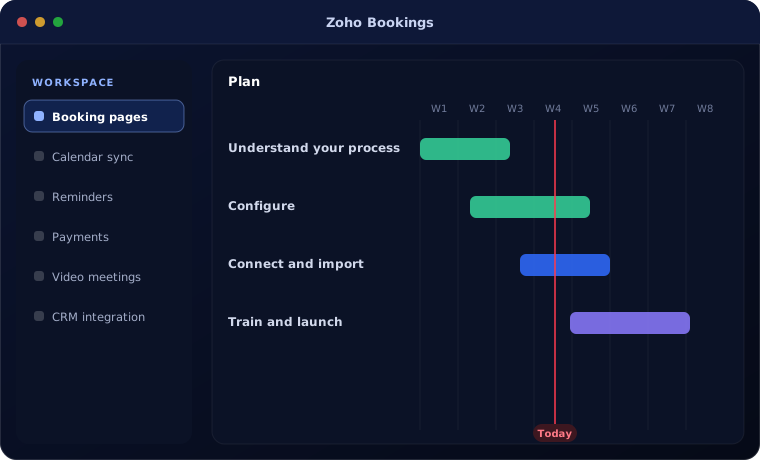
What Zoho Bookings does
Zoho Bookings removes the back-and-forth of scheduling.
Booking pages
Branded pages for each service or staff member.
Calendar sync
Availability taken from Google or Outlook calendars.
Reminders
Email and SMS reminders reduce no-shows.
Payments
Collect fees or deposits at booking.
Video meetings
Meeting links created automatically.
CRM integration
Bookings recorded against contacts in Zoho CRM.
Is Zoho Bookings the right fit?
Zoho Bookings fits appointment-based businesses.
A strong fit when
- Customers book time with your staff
- You lose time arranging meetings by email and phone
- You want bookings recorded in your CRM
Look elsewhere when
- You need complex resource or room scheduling across many sites
- You run a hospital system with clinical scheduling needs
How we implement Zoho Bookings
A Bookings setup is quick.
Understand your process
We review how your team works today and what Zoho Bookings needs to do.
You receive A short requirements summary
Configure
We set up Zoho Bookings with your fields, stages, templates, users and permissions.
You receive A configured system
Connect and import
We import your data and connect the tools you already use.
You receive Your data, ready to use
Train and launch
Your team is trained on real tasks and we support the first weeks.
You receive A live system your team uses
Problems we are asked to solve
These are the situations clients most often bring to us.
| The situation | What we do |
|---|---|
| Too many no-shows | Add reminders and deposits |
| Scheduling takes hours each week | Publish booking pages with real availability |
| Bookings not linked to customers | Integrate with Zoho CRM |
Related products
Bookings works well with these.
Common questions
Can customers pay when booking?
Yes, through supported payment gateways.
Does it work with Outlook calendars?
Yes. It syncs with Outlook and Google calendars.
Can bookings appear in Zoho CRM?
Yes. Bookings can be created as activities against CRM contacts.
How this page is maintained. Written and reviewed by the BookMyTechies implementation team, based on our project work. Product details are checked against Zoho’s documentation, and pricing is linked to Zoho’s own page because it changes.
Spending too long arranging appointments?
Tell us how customers book with you today. We will set up Zoho Bookings to handle it.