Inventory reconciliation without the stock-take panic
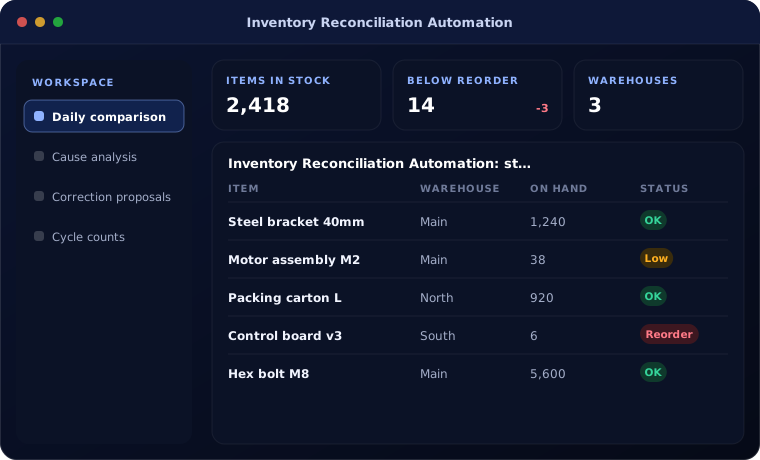
Inventory reconciliation automation compares stock figures across your ERP, warehouses, online stores and marketplaces every day, explains the differences and proposes corrections for approval.
At a glance
| What it automates | Daily stock comparison, difference analysis and correction proposals |
| Works with | Zoho Inventory, Odoo Inventory, Business Central, e-commerce platforms |
| People stay in charge of | Write-offs, adjustments and investigations |
| Typical start | ERP versus online store stock |
The short answer
Inventory reconciliation automation checks that stock agrees everywhere it is recorded. It compares ERP stock with warehouse counts, store systems and marketplace listings, groups differences by likely cause such as unposted receipts or returns, and proposes adjustments that a person approves. Stock accuracy improves continuously instead of once a year.
Why stock figures drift
Stock is recorded in several places that are updated at different times. Returns, damages, transfers and unposted receipts create differences that grow until the stock-take.
The result is overselling online, emergency purchases and write-offs nobody can explain.
How the work is usually done today
- Stock exported from each system
- Compared in spreadsheets
- Differences investigated by phone and email
- Adjustments posted without clear reasons
- Counts repeated at year end
What AI changes
Automation keeps stock aligned every day.
Daily comparison
All stock sources compared automatically.
Cause analysis
AI groups differences by likely cause.
Correction proposals
Adjustments prepared with reasons for approval.
Cycle counts
Items with frequent differences scheduled for counting.
How inventory reconciliation works
Each day the reconciliation runs like this.
Collect
Stock figures pulled from every system.
Handled by Automation
Compare
Differences found by item and location.
Handled by Automation
Explain
Likely causes identified and evidence attached.
Handled by AI agent
Approve
Stock controller reviews and approves adjustments.
Handled by Person
Update
Approved corrections posted and synced.
Handled by Automation
Where people stay in control
Stock adjustments always need approval.
- Adjustments above a value need manager approval
- Every adjustment carries a reason code
- Repeat differences trigger investigation
- Full history of changes kept
Security and governance
- Access limited to the documents and records each step needs
- Every automated action logged with who or what made it
- Data kept in your own systems and approved cloud services
Systems this connects to
What you can expect
Typical outcomes:
- Fewer oversold online orders
- Smaller, explained write-offs
- Faster year-end stock-take
- More trust in stock reports
Common questions
Can it reconcile marketplace stock such as Amazon and Flipkart?
Yes, where the marketplace provides stock data through an API or report.
Do we need barcode scanning?
It helps but is not required. Barcode scanning improves count accuracy and speed.
Will it post adjustments automatically?
Only small, rule-based corrections if you choose. Everything else is approved by a person.
How often does it run?
Usually daily, or more often for fast-moving online stock.
Explore further
The same job on other platforms
AI automation for this
Often used alongside
Do your stock figures disagree?
Tell us where stock is recorded. We will show you how to keep it aligned.